Should your KBART file not be made available via a stable URL, you also have the option of manually uploading your KBART file directly into we:kb.
Please note: Ygor is no longer available as the import tool for we:kb as the manual upload of a KBART file has been integrated completely into we:kb.
In order to import titles from a KBART file to a certain package, select the package to which you want to upload your KBART file. Choose the "Available Actions"-button in the upper right corner and select
"Manual KBART Import":
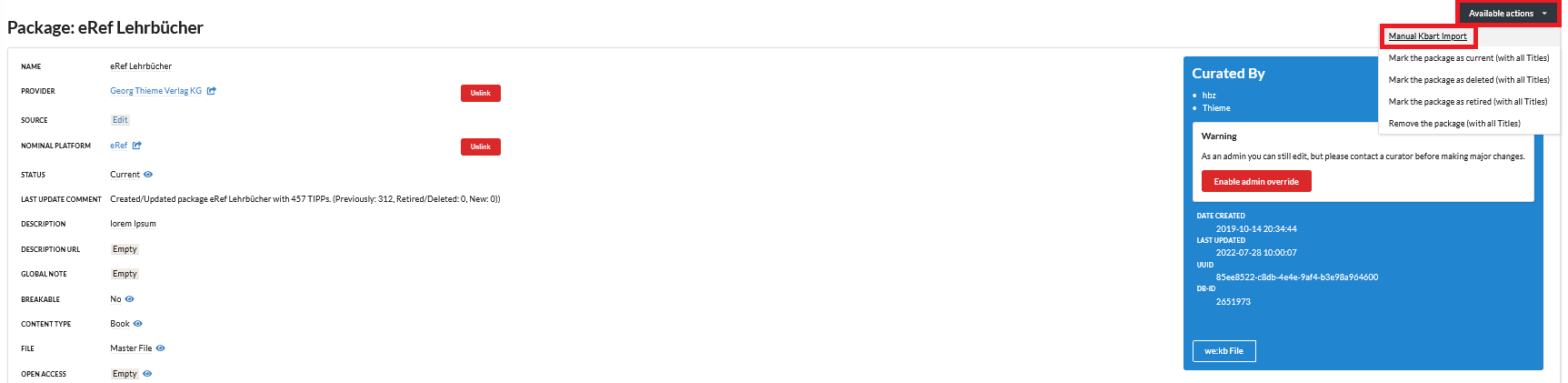
You will automatically be directly to the KBART Import page for your package and can upload your latest KBART file to update your titles in we:kb:
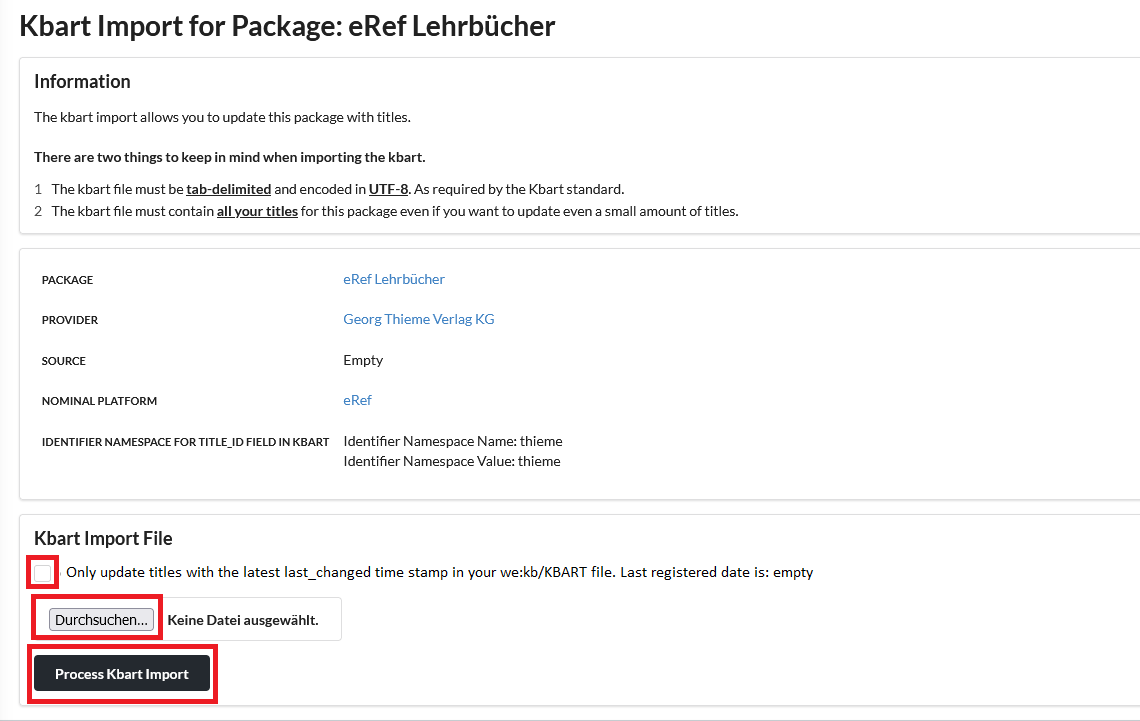
Click on "Dursuchen" ("Select a file") and upload your file by clicking on "Process KBART Import". Afterwards the titles from your KBART file will be imported to your package.
Please note: if you use the last_changed column for your we:kb/KBART file in order to highlight those titles that have been changed (newly added, deleted, adjusted etc.)
since your last update, you may tick the small box before selecting your file. By uploading your file then, only those newly titles which have been changed since your
last registered import will be update to your package. This will reduce additional data traffic, so that we:kb will not have to upload your file as a whole. The last registered
import date will - if available - be shown.