If you manage a number of packages and want to update several of them with the same information at the same time, go to My Package Management under My Components.
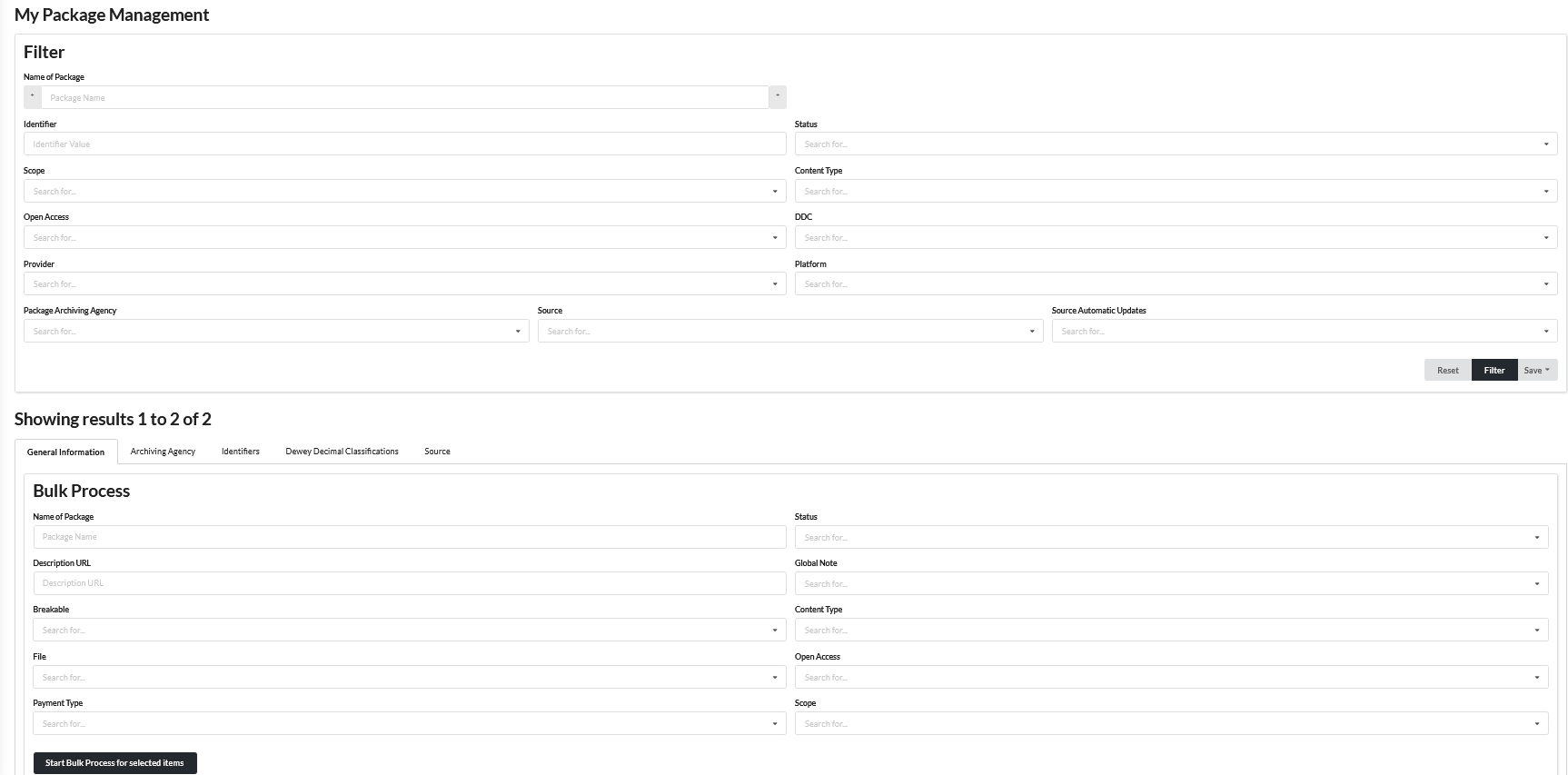
Depending on how many packages you manage in the we:kb as a curator, you can also filter directly for certain packages under your curatory group in the Filter, e.g. if you only want to update your e-book packages, you have the option to filter by Content Type and the value Book,
so that you will only see your e-book packages as a result further down.
Using the Bulk Process, you can then choose whether you want to update your packages with regard to General Information (e.g. Content Type, Status, Payment Type etc.) or with regard to Archiving Agencies, Identifiers,
Dewey Decimal Classifications or the Source. If, for example, you would like to equip certain packages under your maintenance with a new or updated Content Type, proceed as follows:
1. You select the desired value Book under Bulk Process in the Content Type field.
2. Tick the packages in your result list that you want to provide with this value.
3. Click on the Start Bulk Process for selected items-button.
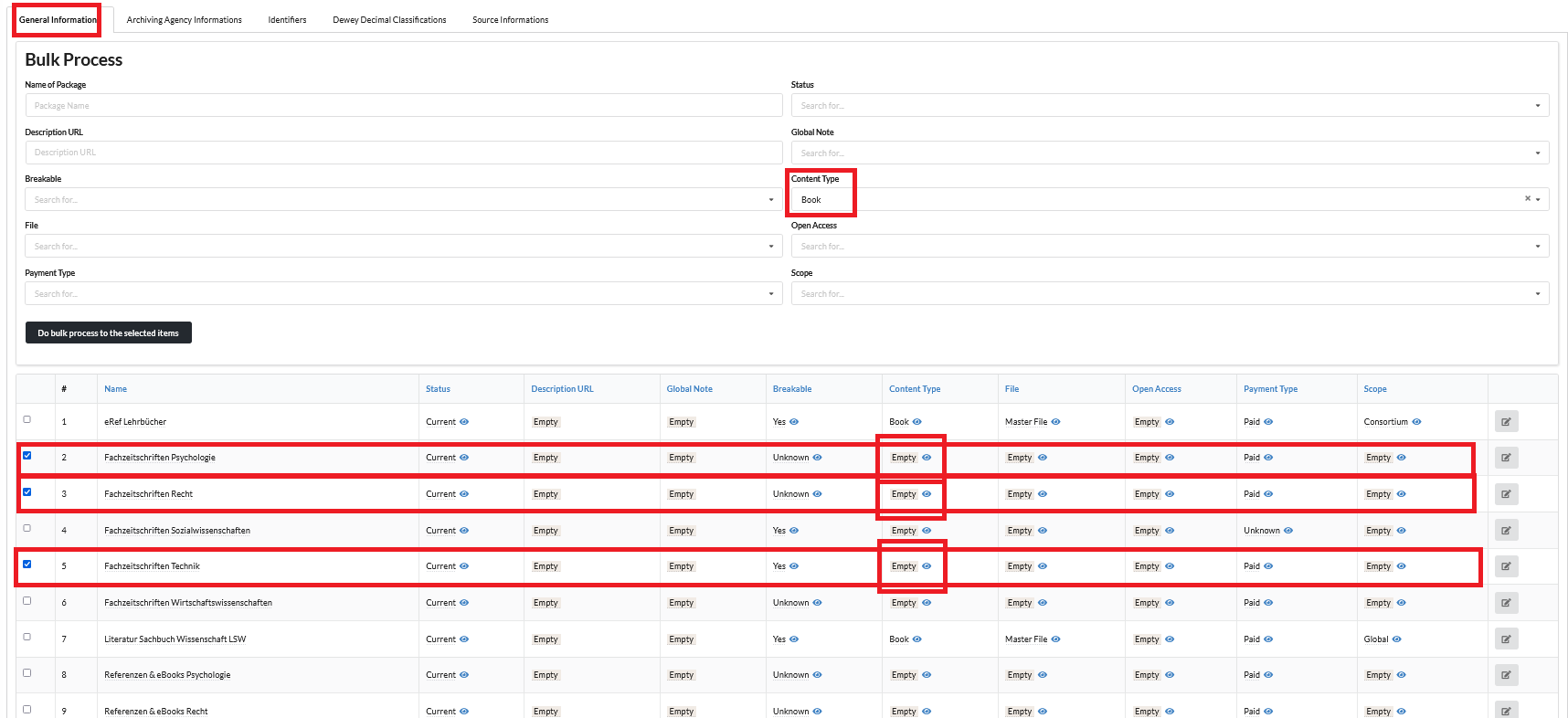
Afterwards, the packages you have selected should all have the value Book in the Content Type field.
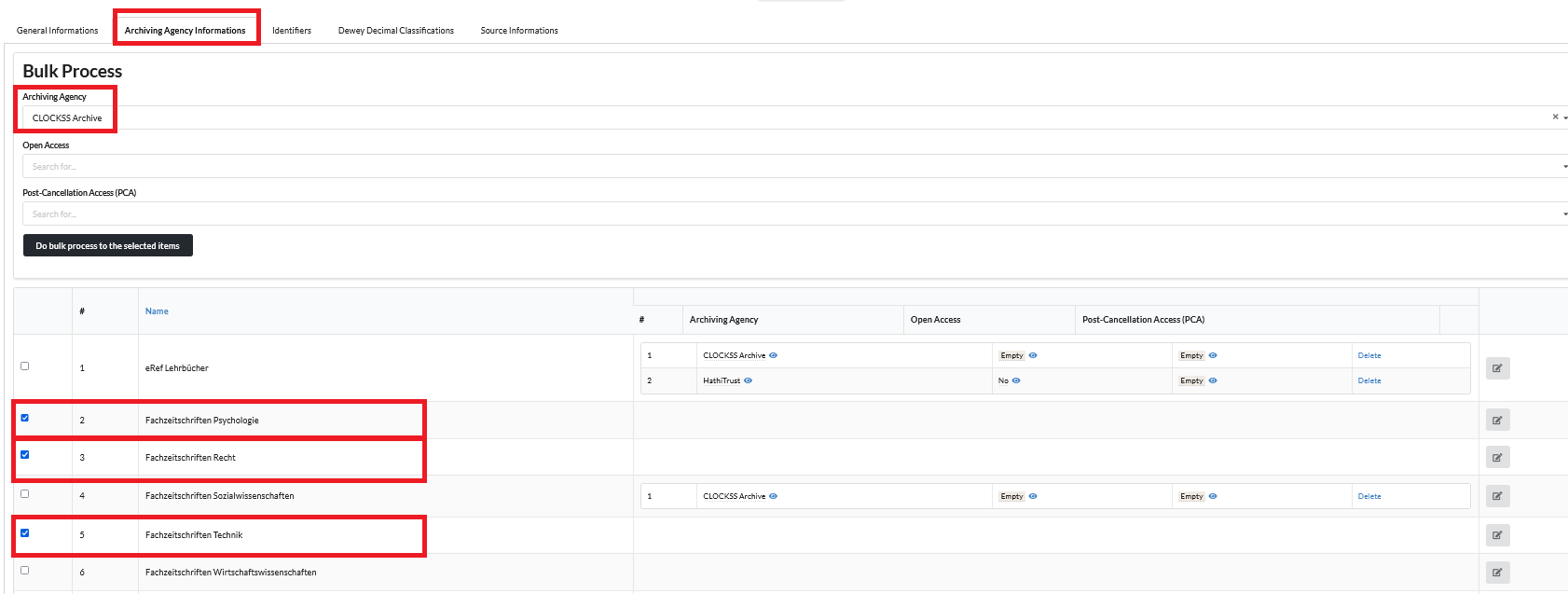
Proceed in the same way if, for example, you want to add an Archiving Agency, such as CLOCKSS, for all or several of your packages:
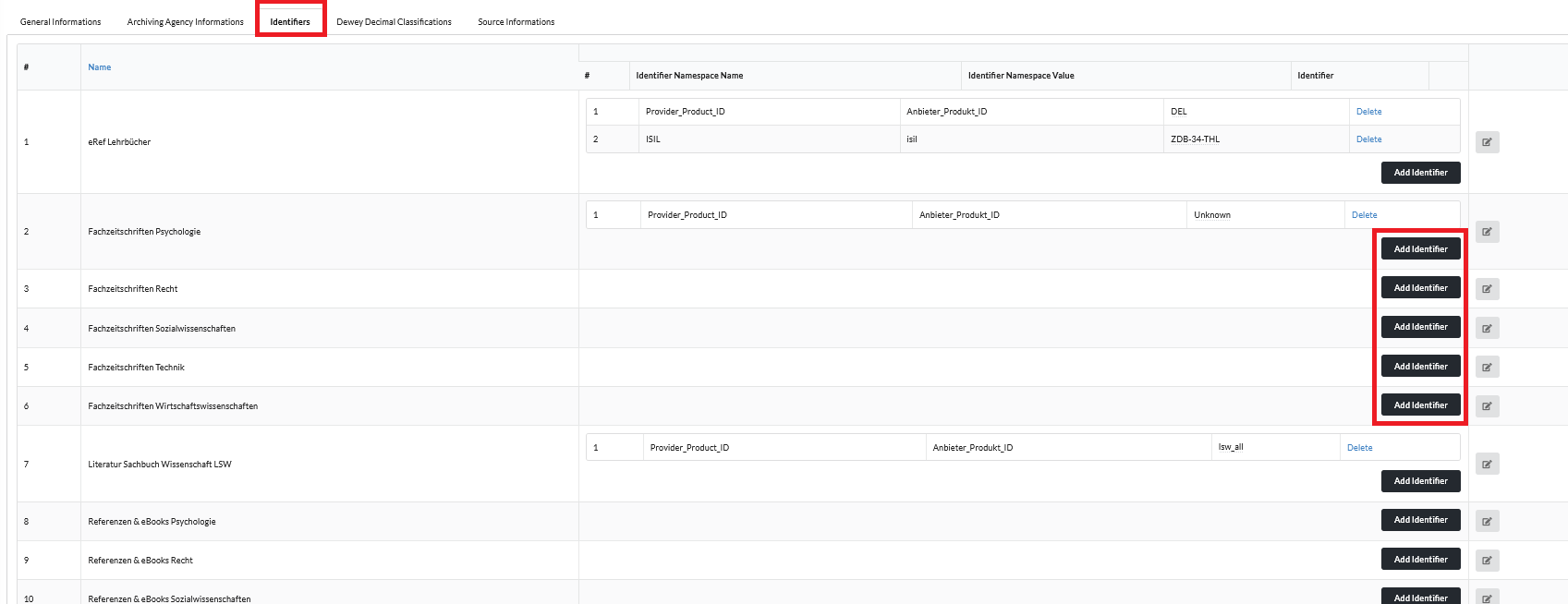
Under Identifiers, you cannot start a bulk process in the strictest sense, but you receive an overview over all your packages in order to direclty monitor for which package you have not yet entered
a Provider_Product_ID, i.e. your internal ID/identifier under which you can identify the respective product.
In addition, you have a "shortcut" here to store/update this identifier directly:
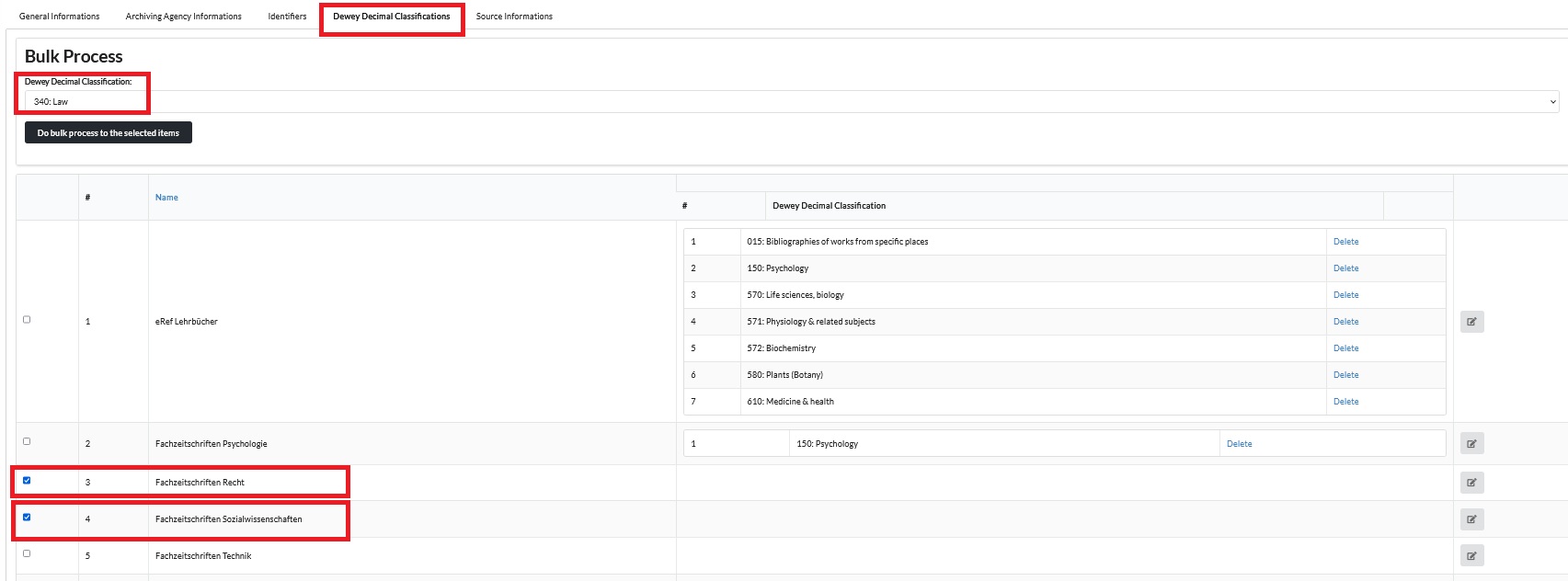
In the Dewey Decimal Classification section, you can also assign a matching DDC for several of your packages at the same time:
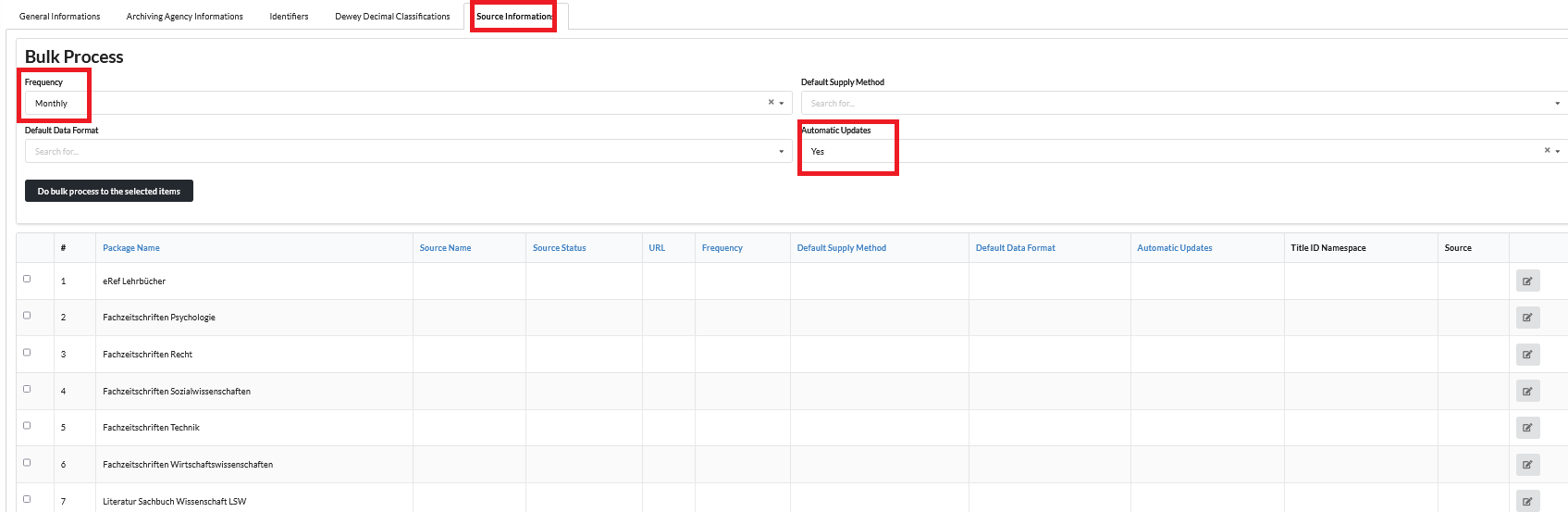
Provided you have already created Sources for your packages, in order to update your packages automatically via your KBART URL, you may use the Source area to fill out or update certain parameters for your
package sources at the same time, e.g. if you want to adjust the Frequency in which the we:kb should check for updates in your KBART file, and set it to a daily/weekly/monthly frequency, or if you have forgotten to
set the field Automatic Updates to Yes for some sources: